Dashboard
The Dashboard is the first page after you sign in.
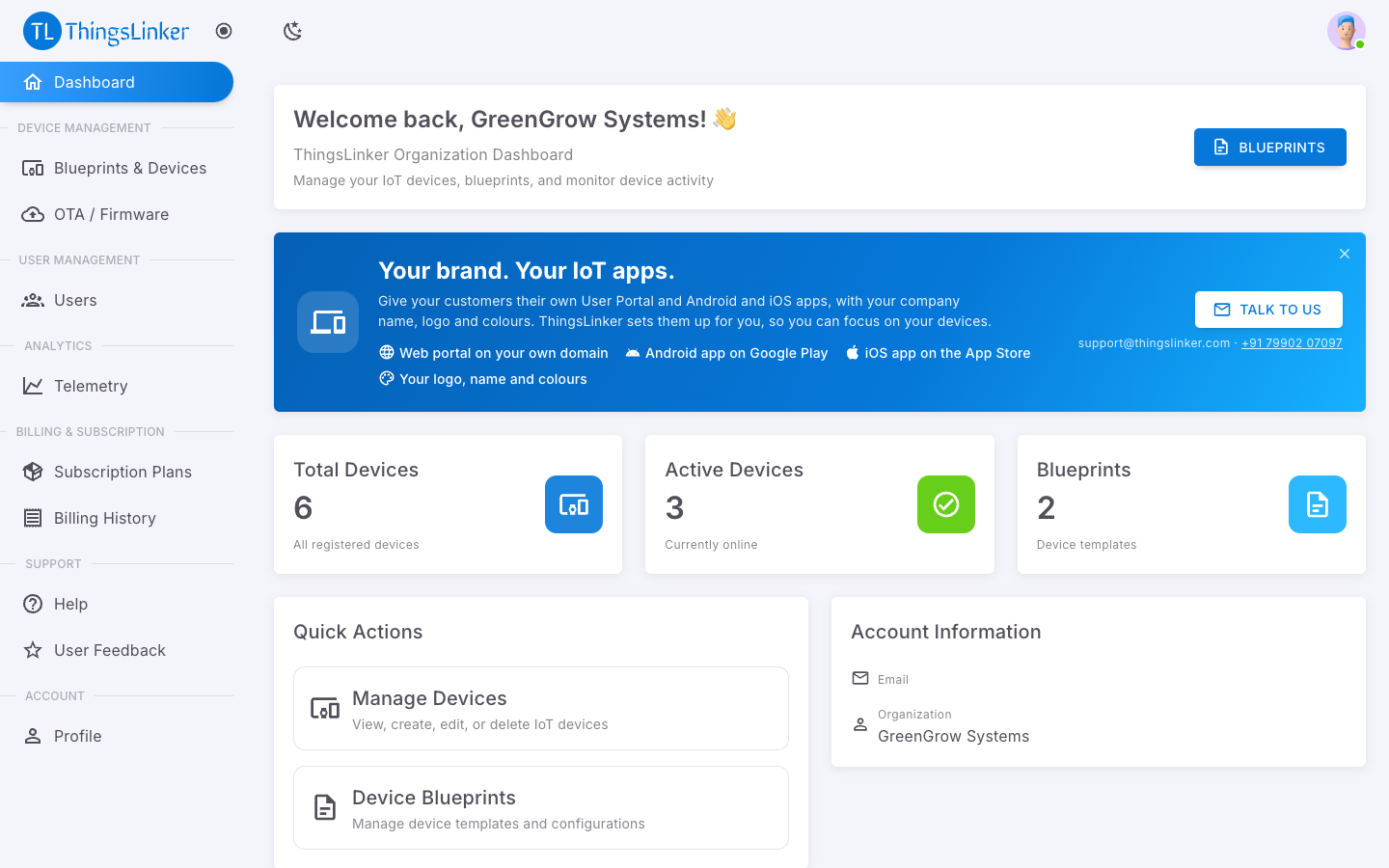
It shows:
| Card | What it shows |
|---|---|
| Total Devices | All devices your organization has created. |
| Active Devices | Devices online right now. |
| Blueprints | How many product templates you have. |
| Account Information | Your current plan. If you have no active plan, you see No Active Plan with a Choose Plan button. |
Quick Actions take you straight to your devices and blueprints, both on Blueprints & Devices.
Your brand. Your IoT apps. shows the white-label offer: your own User Portal and apps with your name, logo and colours. Talk to us emails our team; close the banner with ✕ if you do not need it.
The menu on the left groups the rest of the portal:
| Section | Pages |
|---|---|
| Device Management | Blueprints & Devices (with their devices and dashboards), OTA / Firmware |
| User Management | Users |
| Analytics | Telemetry |
| Billing & Subscription | Subscription Plans and Billing History |
| Support | Help, User Feedback |
| Account | Profile |