Charts and history
ThingsLinker records the readings your device sends, so you can look back at how a value changed.
Chart widgets
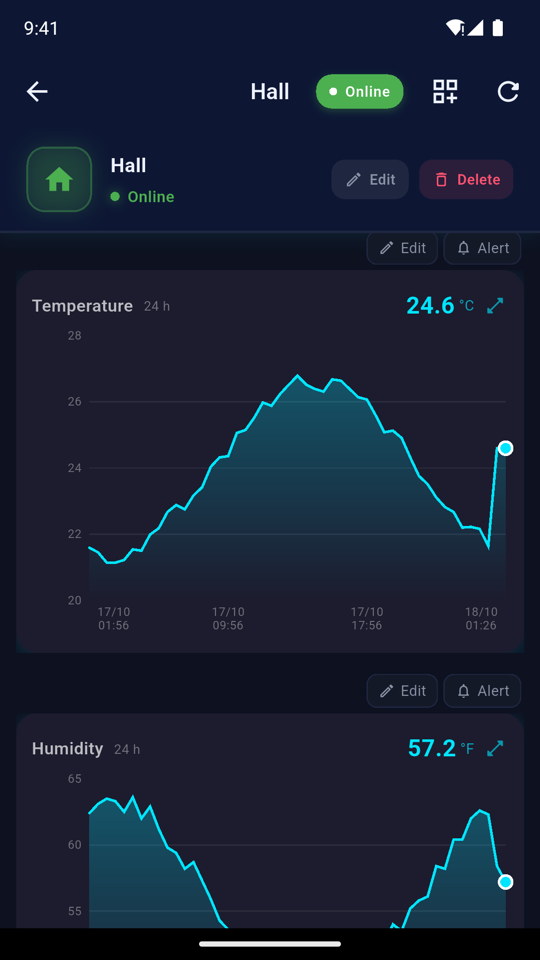
A Chart widget plots one reading over time, for example temperature.
In the app, a chart shows the readings from the last 24 hours.
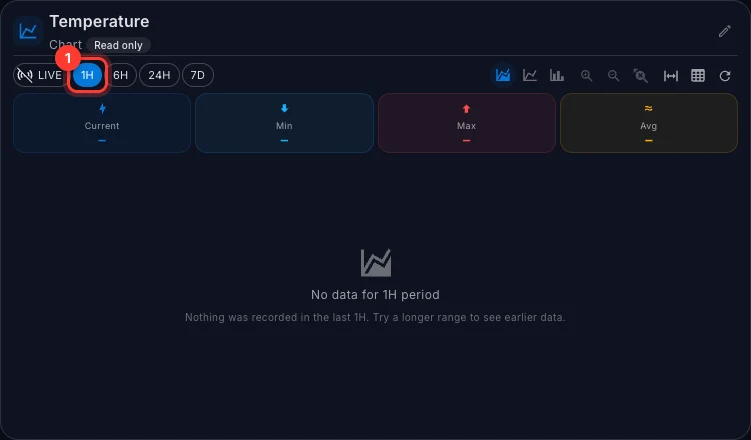
In the User Portal, a chart gives you more control:
| Control | What it does |
|---|---|
| LIVE | Follow new readings as they arrive. |
| 1H, 6H, 24H, 7D | Show the last hour, 6 hours, 24 hours or 7 days. |
| Current, Min, Max, Avg | The latest reading, and the lowest, highest and average in the time shown. |
| Chart style buttons | Switch between an area, a line or a bar chart. |
| Zoom in, Zoom out, Reset zoom | Look closer at part of the chart. You can also drag the handles of the strip under the chart. |
| View recorded values | Show the readings as a table instead of a chart. |
The chart's scale fits the readings shown, so small changes are easy to see. If the company that supplied the device has fixed the scale, for example 0 to 100, the chart always uses that range.
A chart needs at least two readings to draw a line. Until then it shows the latest value.
Device history (User Portal)
For a fuller view of everything a device has recorded:
- Open the device's dashboard.
- Choose Telemetry at the top.
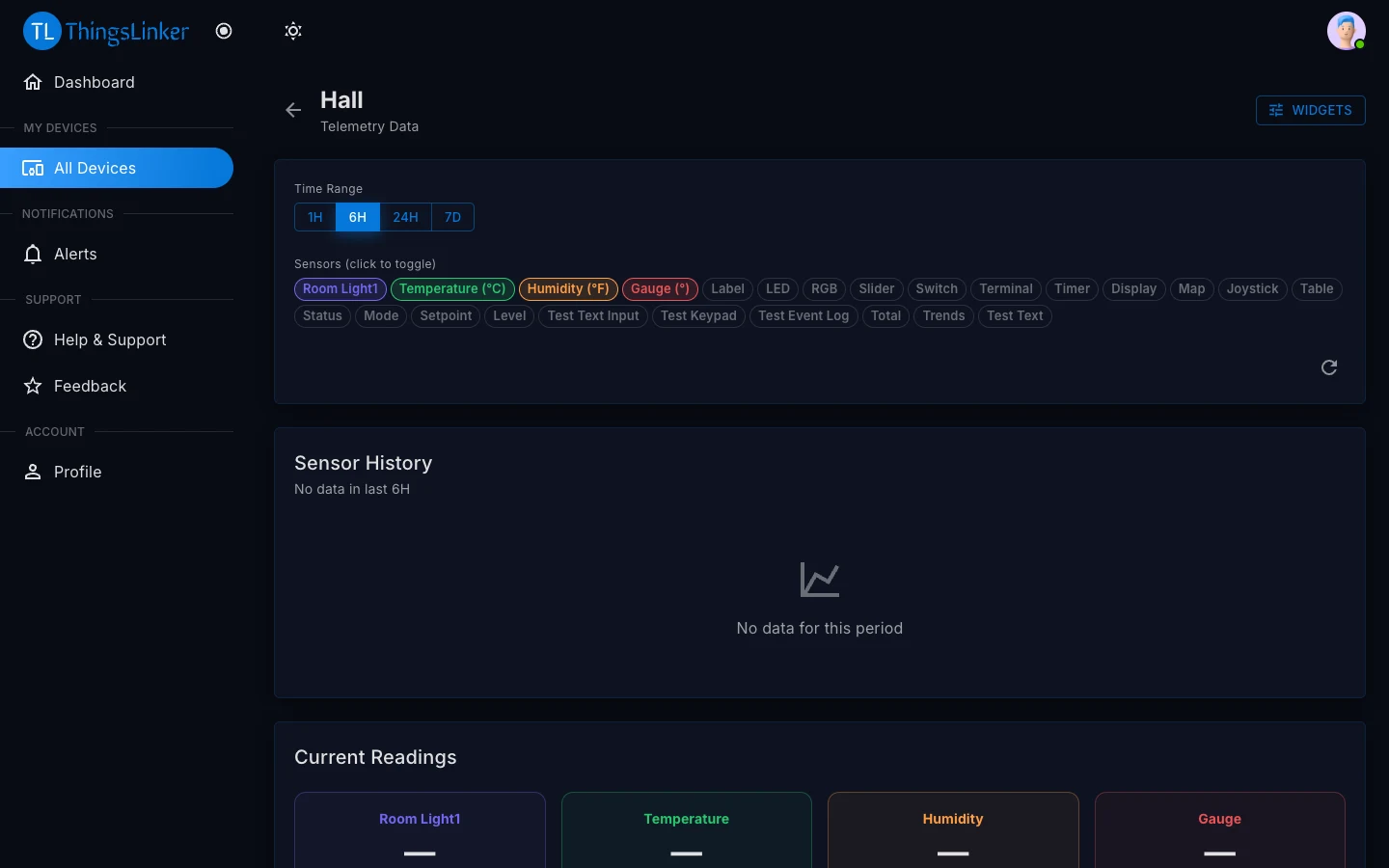
The Telemetry page shows:
- Current Readings: the latest value of each reading.
- Sensor History: the readings over the Time Range you choose. Click a reading's name under Sensors to show or hide it; at least one must be selected.
- Data Summary and Statistics per Sensor: how many readings were recorded, and their lowest, highest and average values.
Choose Refresh to load the newest readings.
Readings sent while the device was offline
Some devices keep their readings while they are offline and send them when they reconnect. These readings appear in charts and history at the time they were measured, not at the time they arrived, so gaps fill in after the device comes back online.