Alerts
An alert rule watches one reading on one device and notifies you when it meets a condition, for example "temperature above 30" or "tank level below 20". Alerts arrive as notifications on your phone and are kept in your alert history.
Create an alert rule
Alert rules are created in the app.
- Open the device's dashboard.
- On the widget you want to watch, tap Alert (the bell).
- Fill in the rule:
| Field | What to enter |
|---|---|
| Alert Name | A short name you will recognise in the notification, for example "High temperature". |
| Condition | greater than, less than, greater than or equal, less than or equal, equal to, or any change. |
| Threshold Value | The value to compare with, for example 30. Not needed for any change. |
| Severity | Info, Warning or Critical. It sets the colour of the alert, so you can tell urgent alerts apart. |
| Cooldown (minutes between alerts) | How long to wait before the same rule can notify you again: 1, 2, 5, 10, 15, 30 or 60 minutes. This stops a value that hovers around the limit from flooding your phone. |
- Tap Create Alert.
The rule is checked every time the device sends that reading, around the clock, whether or not the app is open.
Alerts compare numbers. A widget that shows text, such as a message or a mode name, cannot trigger an alert.
Get notifications on your phone
To receive alert notifications, sign in to the ThingsLinker app on your phone and allow notifications when asked. If you turned them off, turn them on again in your phone's settings under Apps → ThingsLinker → Notifications.
Each notification shows the alert's name, the device and the reading that triggered it.
Pause or delete a rule
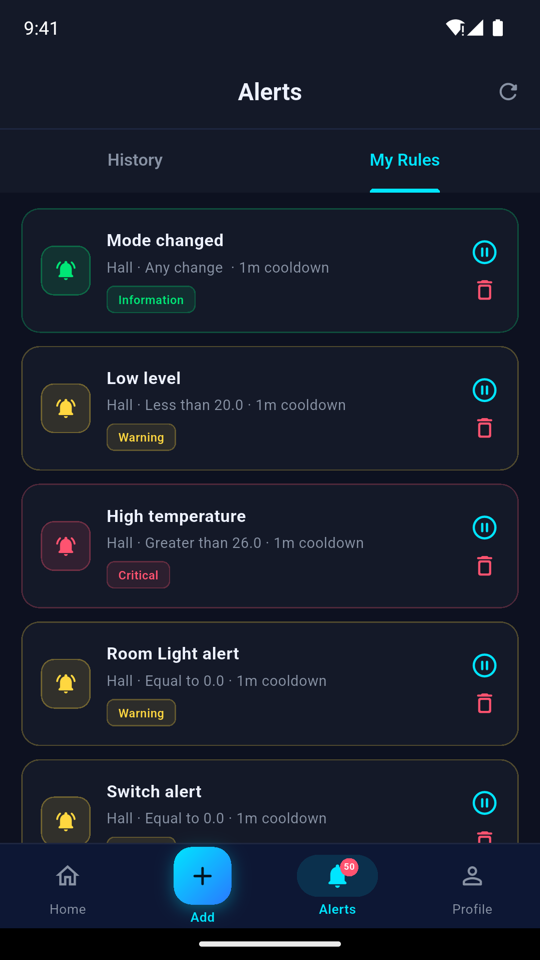
In the app, open the Alerts tab and choose My Rules.
- Tap a rule's pause button to stop it notifying you without deleting it. Paused rules are marked Paused; tap again to resume.
- Tap delete and confirm to remove a rule for good.
Alert history
Every alert that fires is recorded:
- App: the Alerts tab, History.
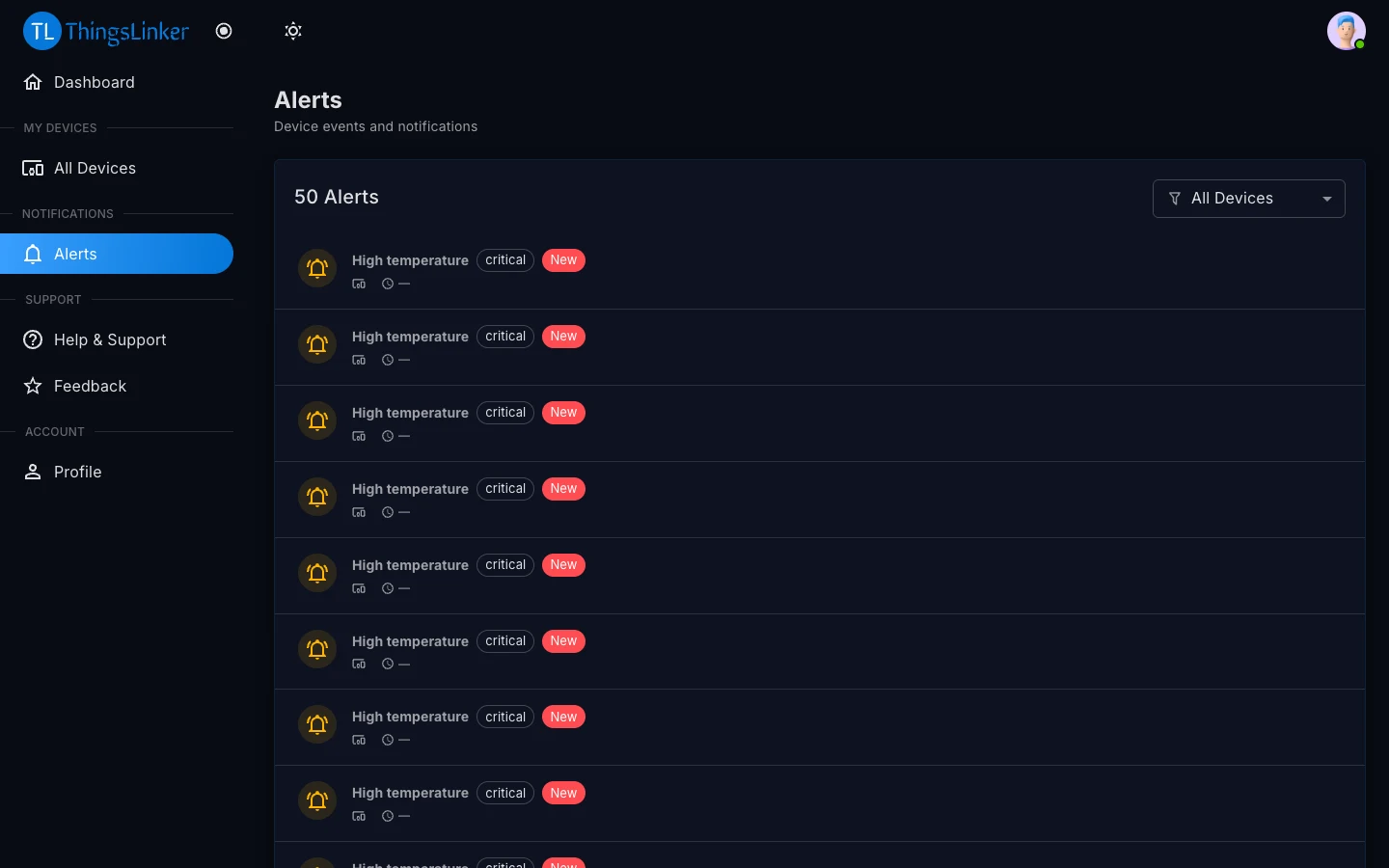
- User Portal: Alerts in the menu. You can show all devices or pick one; new alerts are marked New.
Alert history is kept for 90 days.